How many lots is 1%?
Guess the size and a 1% stop becomes a 3% loss.
Trade Manager PRO · MetaTrader 5
Lot size from your risk, one-click trade management, a journal, and your trades posted to Telegram and Discord. All in a 300-pixel panel on your MT5 chart.
Watch the 2-minute videoEvery tab in action, on a real gold chart2:14
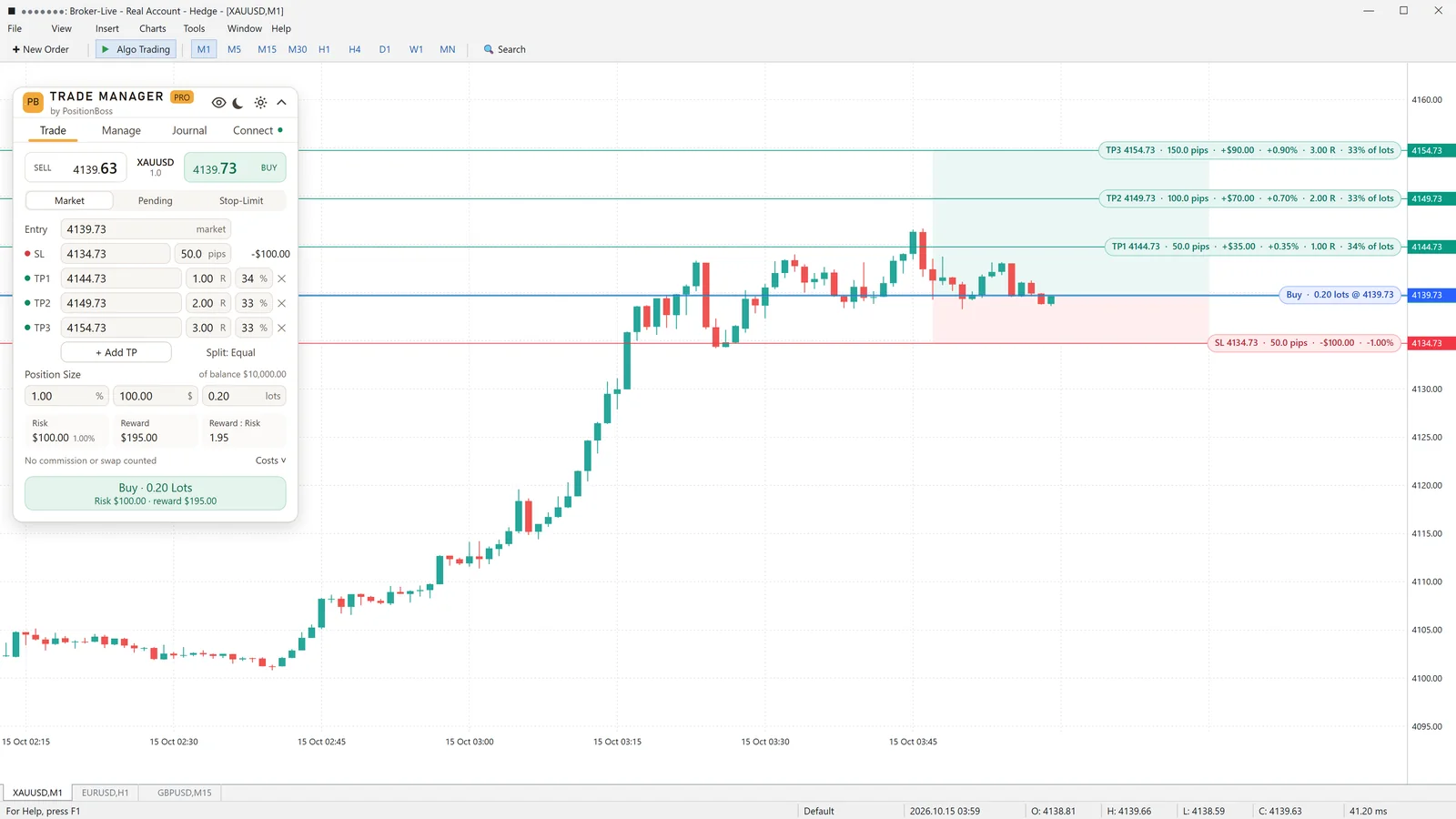
Illustration with example numbers on real XAUUSD prices
The problem
In MetaTrader 5 the answers are separate windows, a calculator and a lot of typing. That is where mistakes happen.
Guess the size and a 1% stop becomes a 3% loss.
Commission and swap take the profit you saw on paper.
Three trades means three stops to move by hand, one by one.
Signals typed by hand go out late, or not at all.
Trade Manager PRO answers all four, before you click.
One panel
Plan it, place it, look after it, learn from it, and share it. Click a tab to see how.
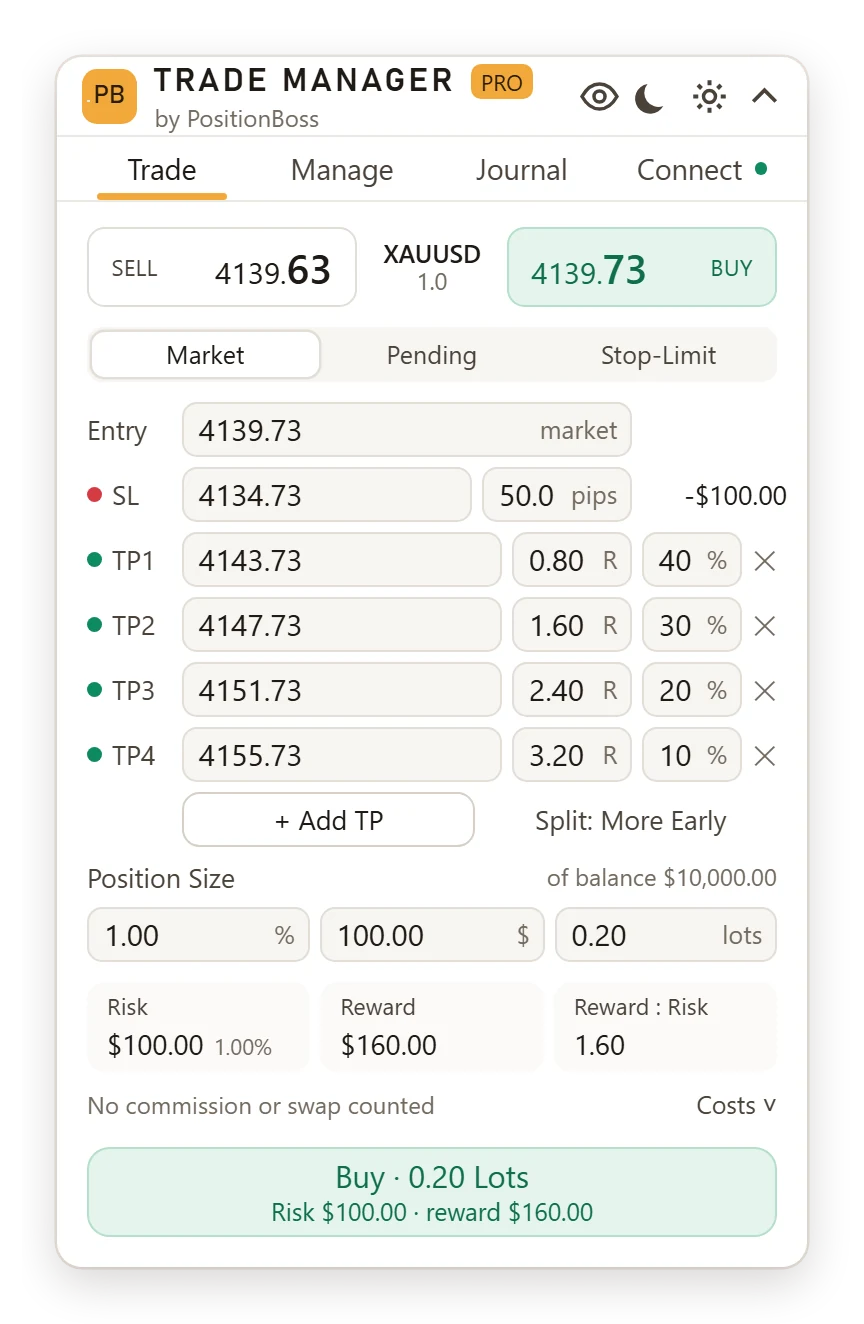
Lot size from your risk, lines on the chart, up to 10 take profits, costs and a last check.
See the Trade tab ↓Every open trade in one list. Breakeven, partial close and Move Stop in one click.
See the Manage tab ↓Win rate, profit factor, drawdown and your equity curve, for any period.
See the Journal ↓Your trades become signals in Telegram, Discord and webhooks, with every update.
See Connect ↓1 · Trade tab
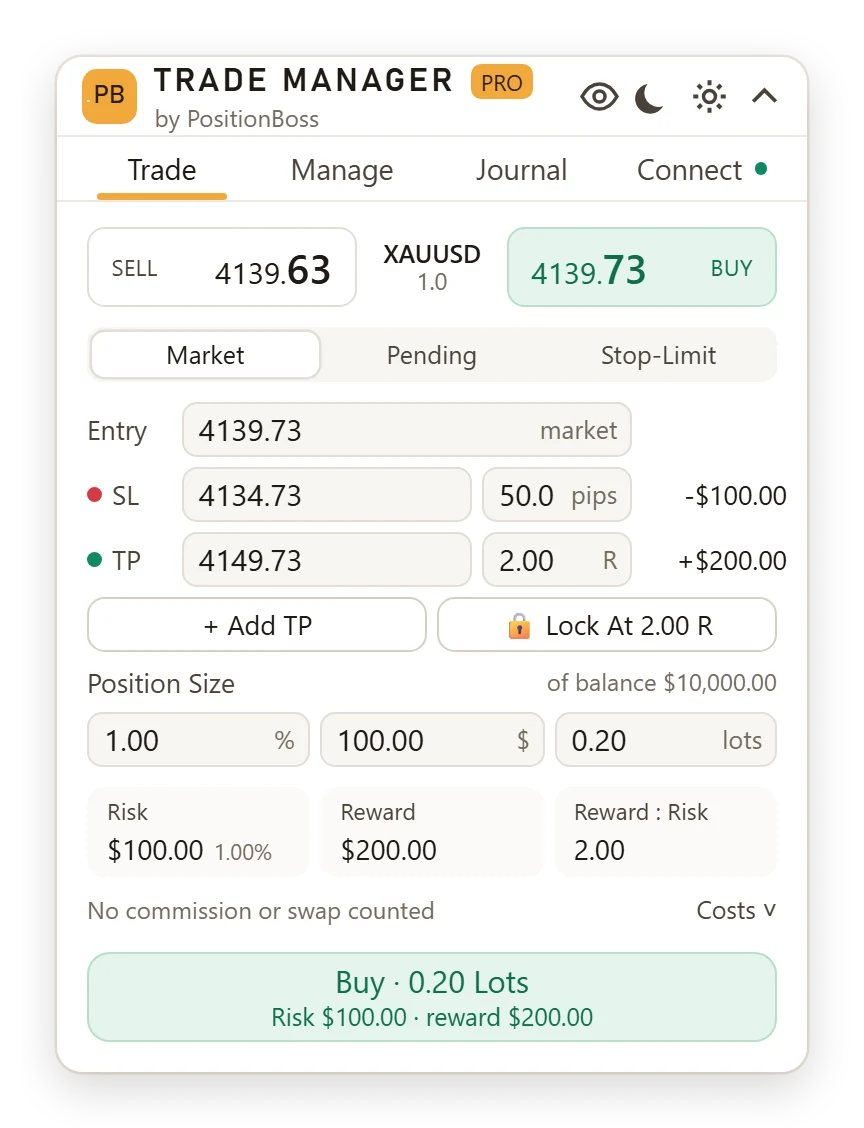
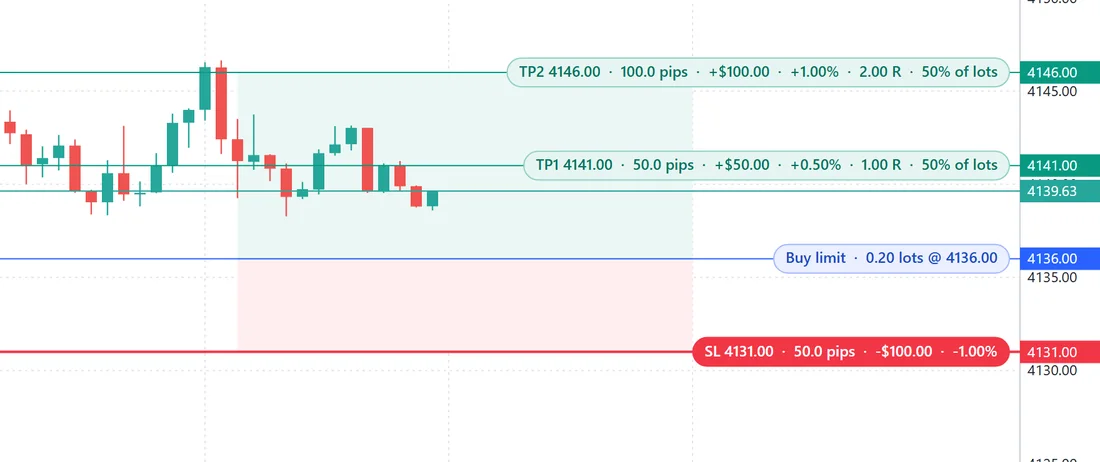
Type 1%, $100 or the lots. Drag the stop and target lines. The panel works out the lot size and shows the money, % and R on every line.
Example: account $10,000, risk 1% = $100, gold stop 50 pips. One lot moves $1 per 0.01 of price, so 50 pips cost $500 a lot. $100 ÷ $500 = 0.20 lots. The panel does this for you, every time.
2 · Manage tab PRO
All your positions and pending orders in one list, grouped by pair. Tick the trades you want, then act on all of them at once.
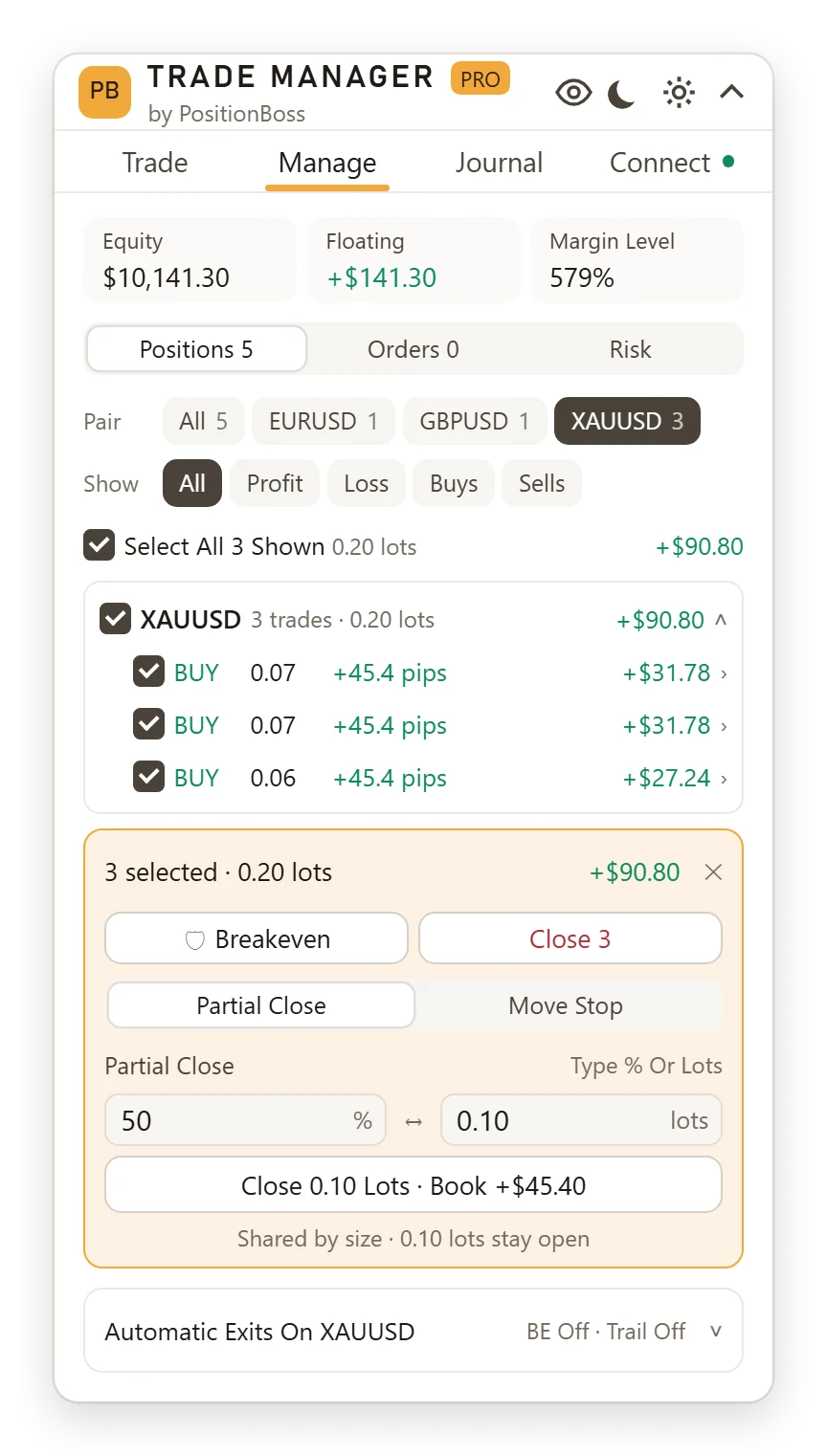
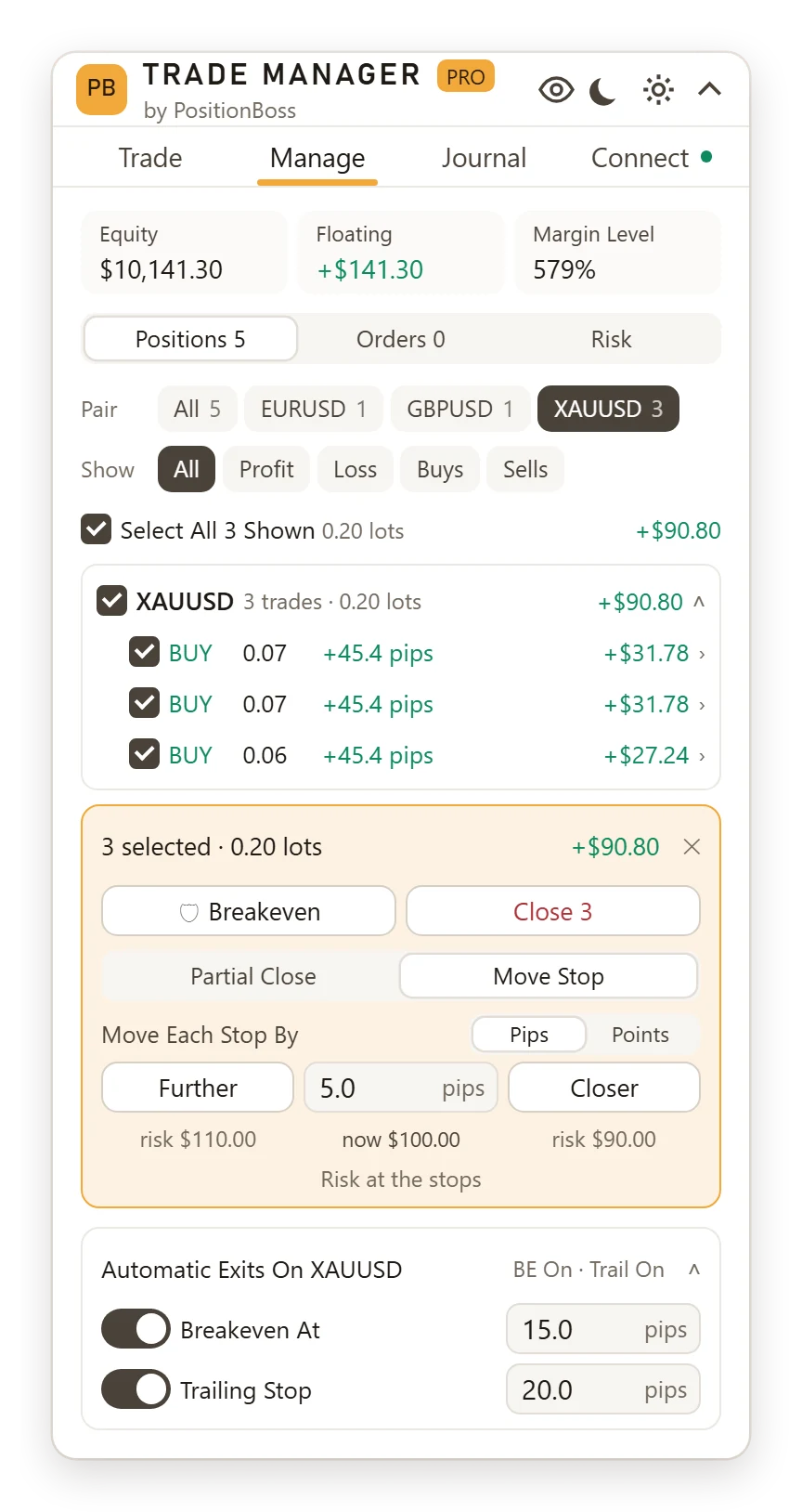
3 · Journal tab
Your results, worked out for you from your account history. No spreadsheet, no typing.
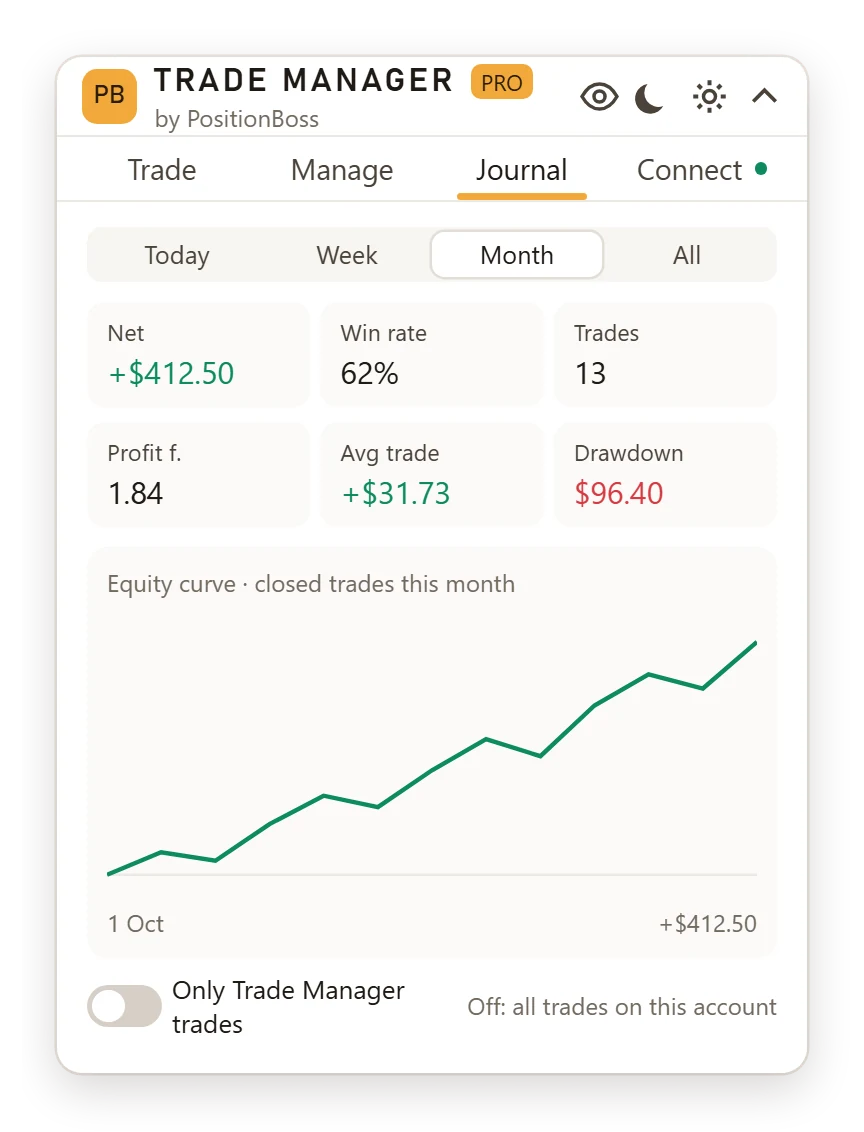
4 · Connect tab PRO
Place a trade and your channel gets one clear message. Every change after that arrives as a reply under it.
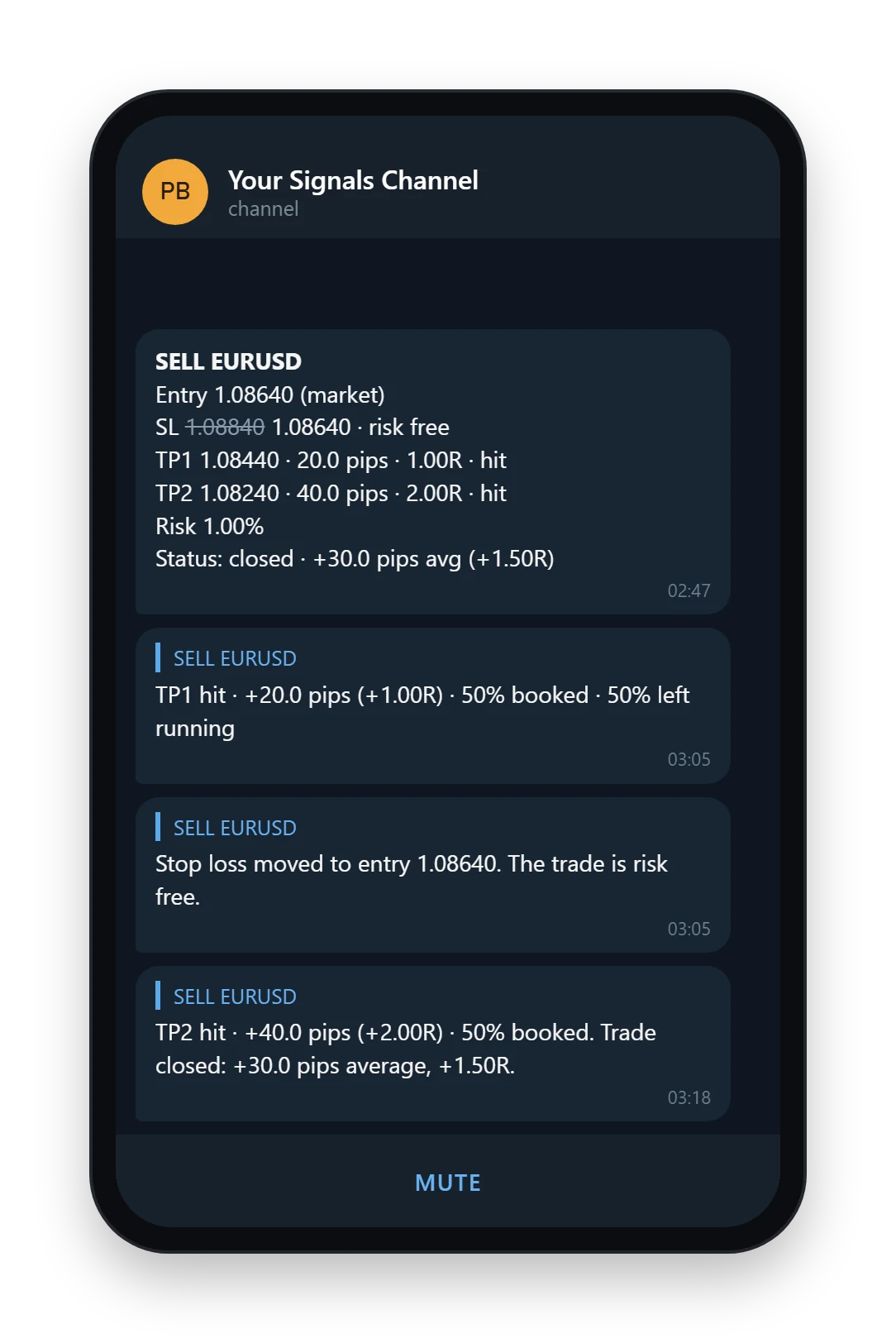
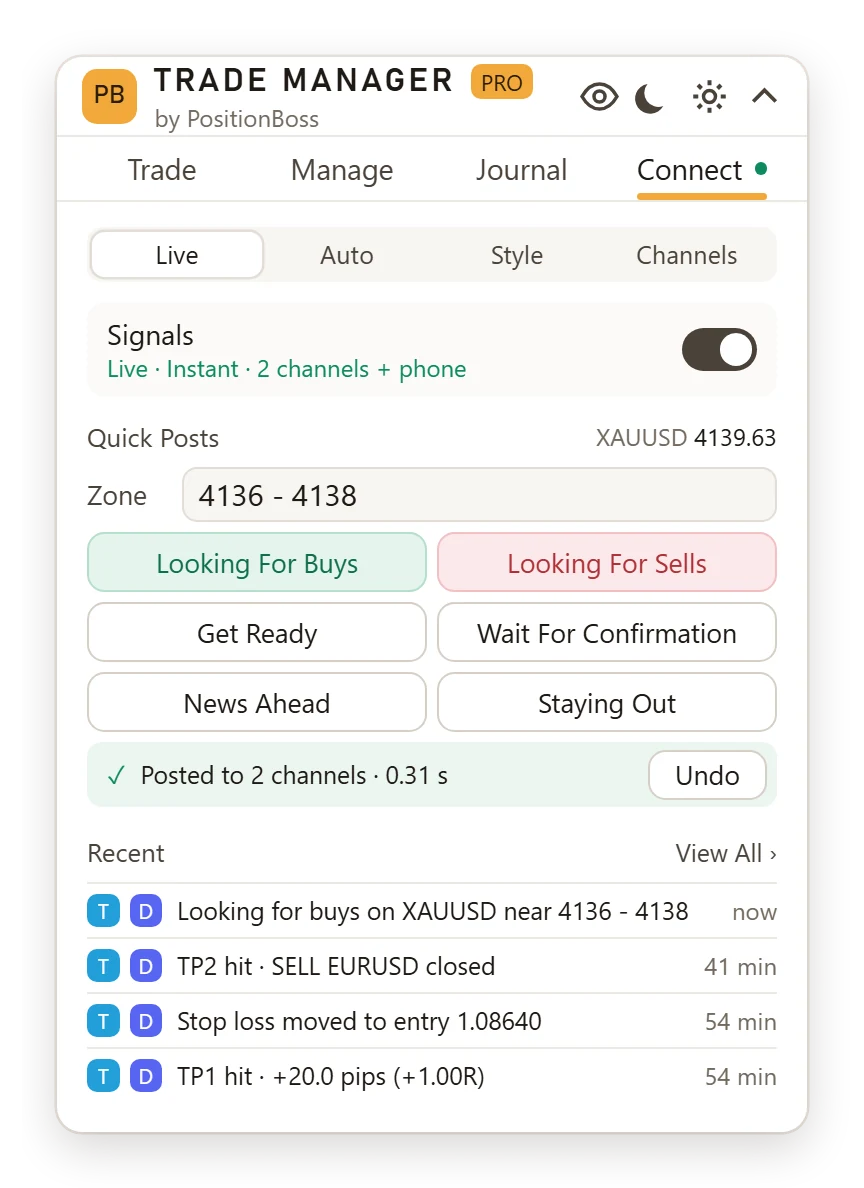
In Telegram, message @BotFather, send /newbot and copy the token.
Make the bot an admin of your channel or group with Post Messages.
Connect > Add Channel: paste the token, click your channel, Send Test. Done.
Built-in discipline
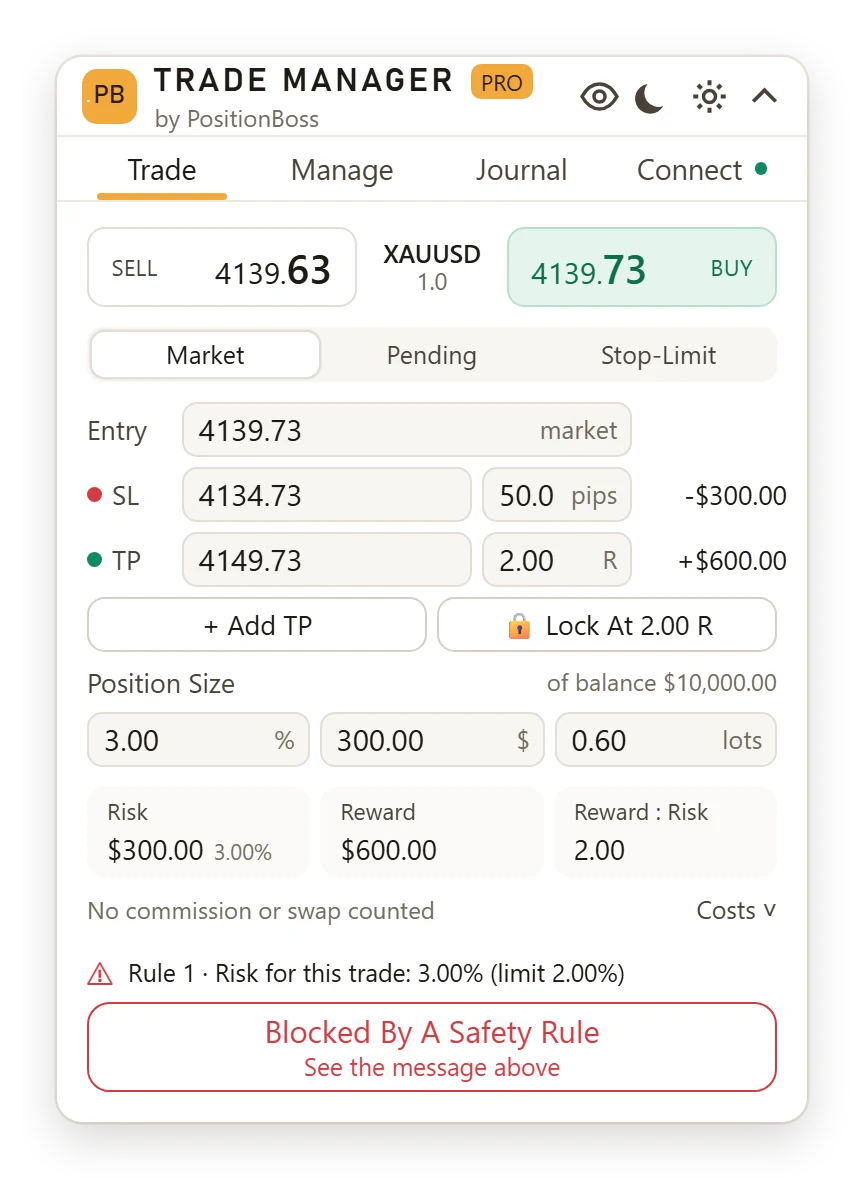
Set your limits once. A trade that breaks one is blocked, and the panel tells you which rule and why. Prefer a smaller trade instead? Switch that on.
See it in action
Plan a gold trade from your risk, protect it, record it, and watch the signal arrive in Telegram.
The video loads from YouTube only when you press play (privacy-enhanced mode), so the page stays fast.
Made for
Gold and forex in seconds: size, place and protect with hotkeys.
Every trade and every update posted for you, in your own style.
Set risk, trade and margin limits to match your firm's rules, once.
A journal that shows what works, and what costs you money.
Before and after
| Task | MetaTrader 5 alone | With Trade Manager PRO |
|---|---|---|
| Lot size for 1% risk | Calculator, then type it in | Type 1%, done |
| Three take profits | Three orders, three sums | One click, lots shared for you |
| Commission and swap | Seen after the trade | Shown before you click |
| Breakeven on three trades | Three edits, one by one | One click |
| Close half of a pair | Trade by trade | Type 50%, one click |
| Signal and updates to your channel | Typed by hand, often late | Posted for you in about a second |
| Your results | A spreadsheet, if at all | A journal with your equity curve |
Pricing
The free version downloads from this page. PRO comes from the MQL5 Market, the official store for MetaTrader programs, with a free demo first.
Free no time limit
Trade and Journal tabs, all settings
From $30 free demo first
Everything in free, plus Manage and Connect
Not sure yet? Start with the free version on a demo account, or try PRO in the free MQL5 demo.
The user guide covers each tab, the Telegram and Discord setup, all 13 safety rules, every setting and every keyboard shortcut.
Questions
The free version has the Trade tab, the Journal and every setting, with no time limit. PRO adds the Manage tab (breakeven, partial close, Move Stop, automatic exits) and the Connect tab (signals to Telegram, Discord and webhooks).
Yes. The MQL5 Market's free demo runs the full PRO in the MT5 Strategy Tester in visual mode. Connect sends real messages, so it needs a live chart: to try signals live, rent PRO for 6 months.
Rent for 6 months ($30) to try everything live. The year ($50) costs the least per month. Buying ($149) is one payment for unlimited use, with free updates.
PRO stops working on your MT5 until you rent again or buy. Your open trades stay as they are.
No. Trade Manager never opens a trade unless you click. Automatic breakeven and trailing stop only act on trades you already have, and only when you switch them on.
Any MetaTrader 5 broker and every symbol it offers: forex, gold and silver, indices, energies and crypto. It reads the contract size, tick value and lot limits from your broker. Netting accounts allow one take profit per position; the panel tells you when that applies.
It works on any MT5 account. Use the safety rules to match your firm's limits, and check your firm's own rules about trading tools.
Yes. Each chart has its own panel and settings, and Connect still sends each message only once. Buying PRO gives 10 activations: one for each computer or VPS you install it on.
Messages go only to the channels you add, straight from your MT5. Trade Manager does not send your trades anywhere else. MT5 must be running (on your PC or a VPS) to send them.
No. Neither the free version nor PRO uses DLL imports, so you never need to tick "Allow DLL imports".
No tool can promise that. Trade Manager helps you size, place, manage and record trades by your own rules. It cannot remove market risk, slippage or broker limits. Test it on a demo account first and use a risk you can afford.
Lot size from your risk, one-click management and signals that post themselves. Try the free demo, then rent or buy.