Key points
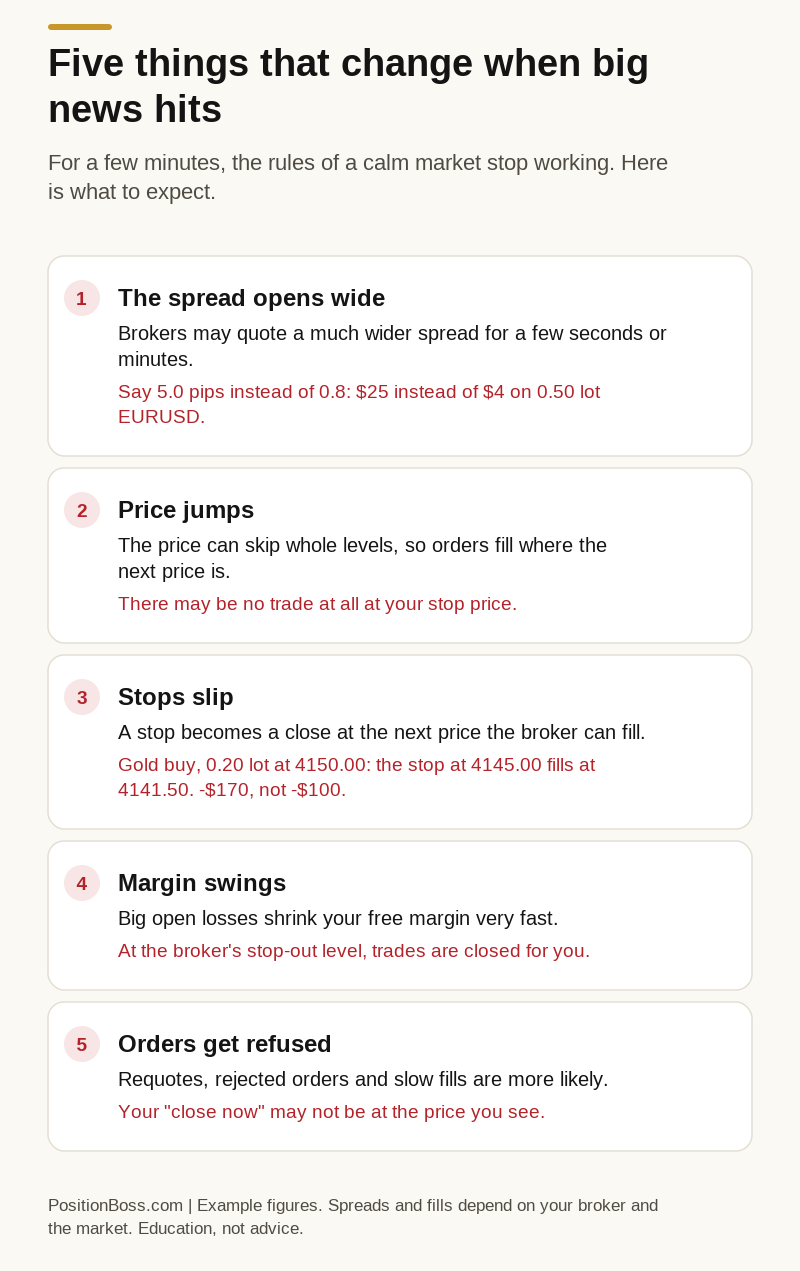
- Around big news, spreads widen, prices jump and stops can fill worse than their price. Plan for it before the release.
- MT5's own Calendar tab shows every event this week; filter it to high importance.
- You have three choices before a release: stay out, trade smaller, or close and reduce.
- MT5 can close all your trades at once from the Trade tab, but only with One Click Trading switched on.
What is news trading risk management?
Forex news trading risk management means planning for the minutes around big economic releases, when spreads widen, prices jump and stops can fill worse than their price. In practice: know the release times, decide to stay out, trade smaller or close, keep a real stop on every trade, and never leave your margin to chance.
A calm market is like a quiet road: you can see every car coming. During big news it becomes a motorway at rush hour, and the usual distances stop being safe. The aim is not to predict the news, but to make sure no single release can hurt your account badly.
Find the news before it finds you
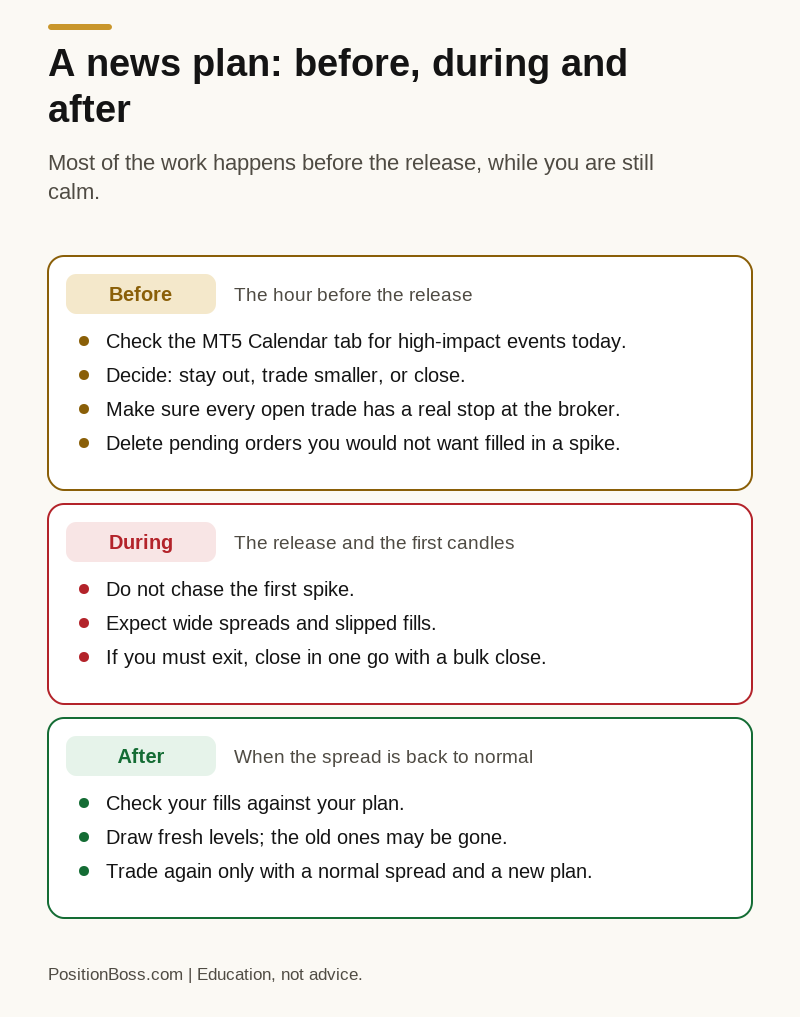
MT5 has an economic calendar built in. Press Ctrl+T for the Toolbox and open the Calendar tab: it shows this week's events by default. Right-click to filter by priority, currency or country, and choose Add All Events to see them on the charts of the matching symbols.
Check the time zone before you trust a time. The US jobs report (Non-Farm Payrolls), for example, comes out at 8:30 a.m. Eastern Time; the next one is due on 4 December 2026, according to the US Bureau of Labor Statistics.
Which releases to watch
Start with the events the calendar marks as high importance for the currencies you trade. For most traders that means central-bank interest-rate decisions, jobs reports and inflation figures. Gold is priced in US dollars, so big US releases move it too; our guide to what moves gold prices explains why.
Do not forget the speeches. A central-bank chief can move a market as much as a data release, and the calendar lists many of those too.
Your three choices before a big release
- Stay out. It is the simplest choice: no open trades, no pending orders, no surprises. You can trade the clearer moves after the dust settles.
- Trade smaller. If you must hold through the news, cut the risk, for example from 1% to 0.5%. Use a stop that still makes sense, and size the lot from it with our lot size guide.
- Close or reduce. Bank part of a winner, move the stop closer, or close it. A profit you keep is worth more than one you hope to keep.
Why your stop can fill worse than its price
A stop loss is an order to close at the next price the broker can fill once your level is touched. MetaTrader 5's help says it plainly: for stop orders, if the market moves the other way, the order is filled with slippage. With market execution, the broker decides the fill price.
Here is the story from the top. A gold buy of 0.20 lot at 4150.00 with a stop at 4145.00 risks $100. The news candle skips past 4145.00, and the stop fills at 4141.50, 35 pips lower: the loss is $170, or 1.7R.
That is why you size for the worst case around news, not the best. And it is still far better than having no stop at all: the same drop with no stop simply keeps the trade open.
Margin: the quiet danger
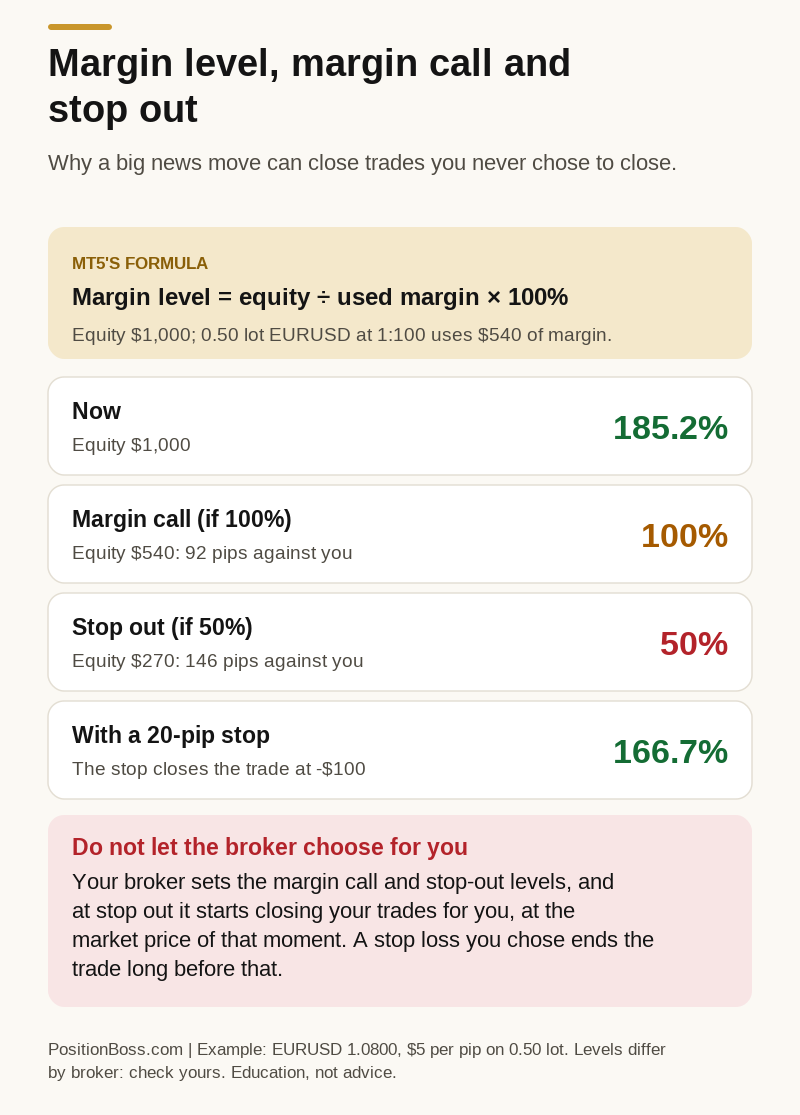
MT5 works out your margin level as equity divided by used margin, times 100%. With $1,000 of equity and 0.50 lot of EURUSD at 1:100 (about $540 of margin at 1.0800), you start at 185.2%. If your broker's margin call is at 100%, it comes 92 pips against you; a 50% stop out comes at 146 pips.
At the stop-out level, the broker starts closing your trades for you, at whatever price the market offers at that moment. A stop loss you chose, here 20 pips for -$100, ends the trade long before the broker has to.
How to close everything fast in MT5
- Switch on One Click Trading once: Tools > Options > Trade.
- In the Toolbox Trade tab, right-click and open Group operations.
- Choose what to close: all positions, only the winners or the losers, or, with a trade selected, everything on that symbol or in that direction.
MT5 sends the close requests one after another without waiting for each answer. If one gets an error, that trade stays open while the rest are closed, so check the Trade tab afterwards. Remember to delete pending orders too, and do not close MT5 halfway through.
A news plan: before, during and after
A word on the "straddle", a buy stop above and a sell stop below the price before a release. In a fast whipsaw, both can fill, each with slippage, so you may end up holding two losing trades at once. If you try it, size each side as if it will lose.
News risk by hand vs with a trade manager
| Job | By hand in MT5 | With an on-chart trade manager |
|---|---|---|
| Spotting news | Calendar tab, checked every day | Some tools show or post the next high-impact event |
| Spread check | Look at Market Watch before each trade | A rule can block new trades while the spread is too wide |
| Closing many trades | Group operations, with One Click Trading on | Tick the trades, close them together |
| Reducing risk | Modify each stop, close each part by hand | Move every ticked stop or close a part of each at once |
| Margin | Watch the margin level in the Trade tab | A rule can block a trade that would use too much margin |
No tool can stop slippage. A closing order in a spike still fills at the price the market offers; tools only help you act faster and stay inside your limits.
Where Trade Manager fits
We built Trade Manager for MT5. In the free version, its safety rules block a new trade before it is placed: rule 3 when the spread is above your limit, rule 2 when your total open risk would be too high, and rules 7, 12 and 13 when the margin would be too high.
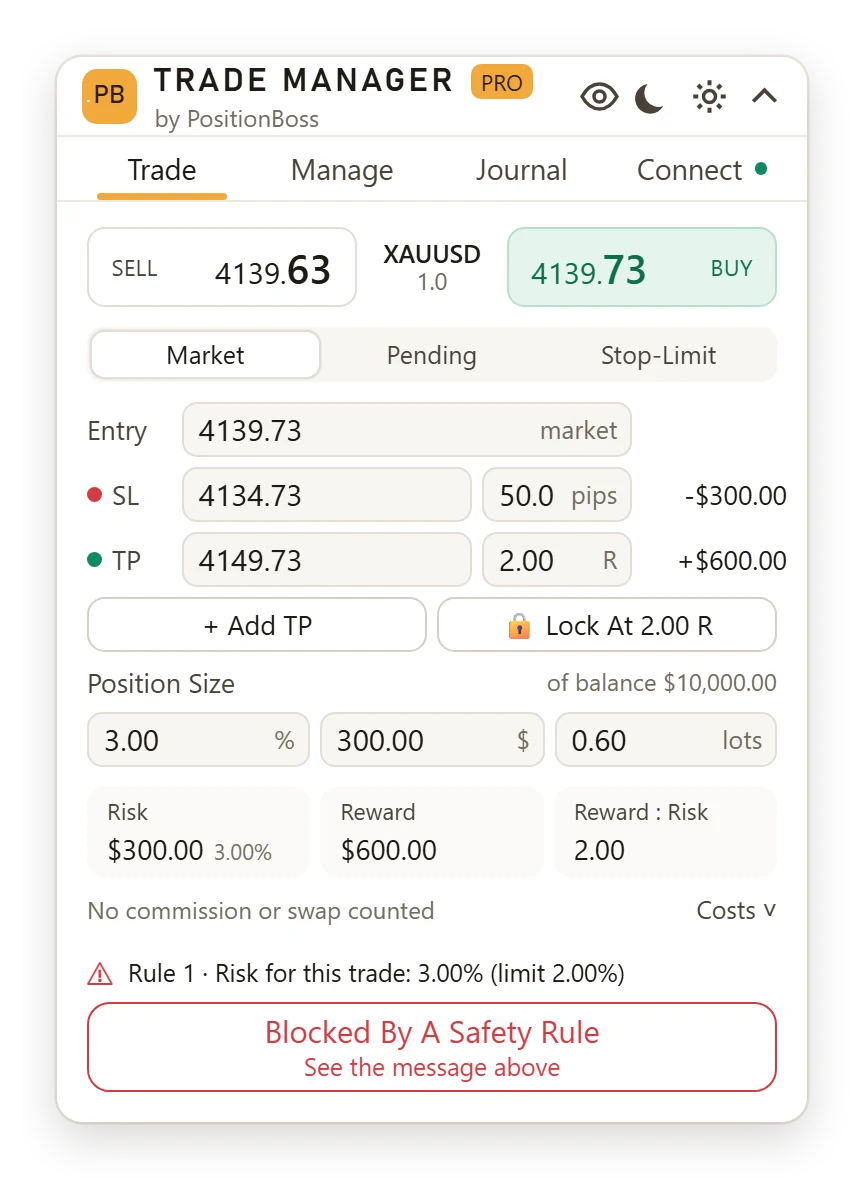
The PRO version adds the Manage tab: select all your trades and close them together, close a part of each, move every stop closer, delete all pending orders, and see the worst case if every stop is hit. Its Connect tab can also post a "News Ahead" message naming the next high-impact event from MT5's own calendar.
It does not pause trading for news by itself, and it cannot prevent slippage. You can get the free version or see how it fits the rest of a trade in our complete guide to MT5 trade management.
Summary
Big news changes the market for a few minutes: spreads widen, prices jump, stops slip and margin swings. Good forex news trading risk management happens before the release: check the MT5 calendar, choose to stay out, trade smaller or close, and keep a real stop on every trade. If you need to exit fast, MT5's Group operations close everything at once, as long as One Click Trading is on.
Questions
Is it safe to trade during big news?
It is riskier than normal trading, because spreads widen and stops can fill with slippage. If you trade it, use smaller lots, a real stop, and only money you can afford to lose.
Why did my stop loss fill at a worse price?
A stop closes at the next price the broker can fill once your level is touched. When the price jumps past your level, as it can during news, the fill is worse than the stop; that difference is slippage.
How do I close all trades at once in MT5?
Switch on One Click Trading in Tools > Options > Trade, then right-click in the Trade tab and open Group operations. From there you can close all positions, only winners or losers, or everything on one symbol.
Where is the economic calendar in MT5?
In the Toolbox (Ctrl+T), on the Calendar tab. Right-click it to filter by priority or currency, or to show events on your charts.
What is a stop out in MT5?
It is the margin level, set by your broker, at which the broker starts closing your trades for you. Margin level is equity divided by used margin, times 100%.
Sources
- MetaTrader 5 Help: executing trades (Group operations, One Click Trading, slippage on stop orders)
- MetaTrader 5 Help: order types and execution types
- MetaTrader 5 Help: economic calendar
- MetaTrader 5 Help: margin, free margin and margin level
- MetaTrader 5 Help: forex margin formula
- US Bureau of Labor Statistics: 2026 release schedule
This guide is education, not financial advice. The examples are made up, and spreads, fills, margin call and stop-out levels differ by broker. Trading around news carries a high risk of fast losses, including losses larger than the stop you set.